
Manufacturing & Sourcing
Private Label Sanitary Pad Artwork Approval Guide: Packaging Files, Print Proofing, and Production Preparation
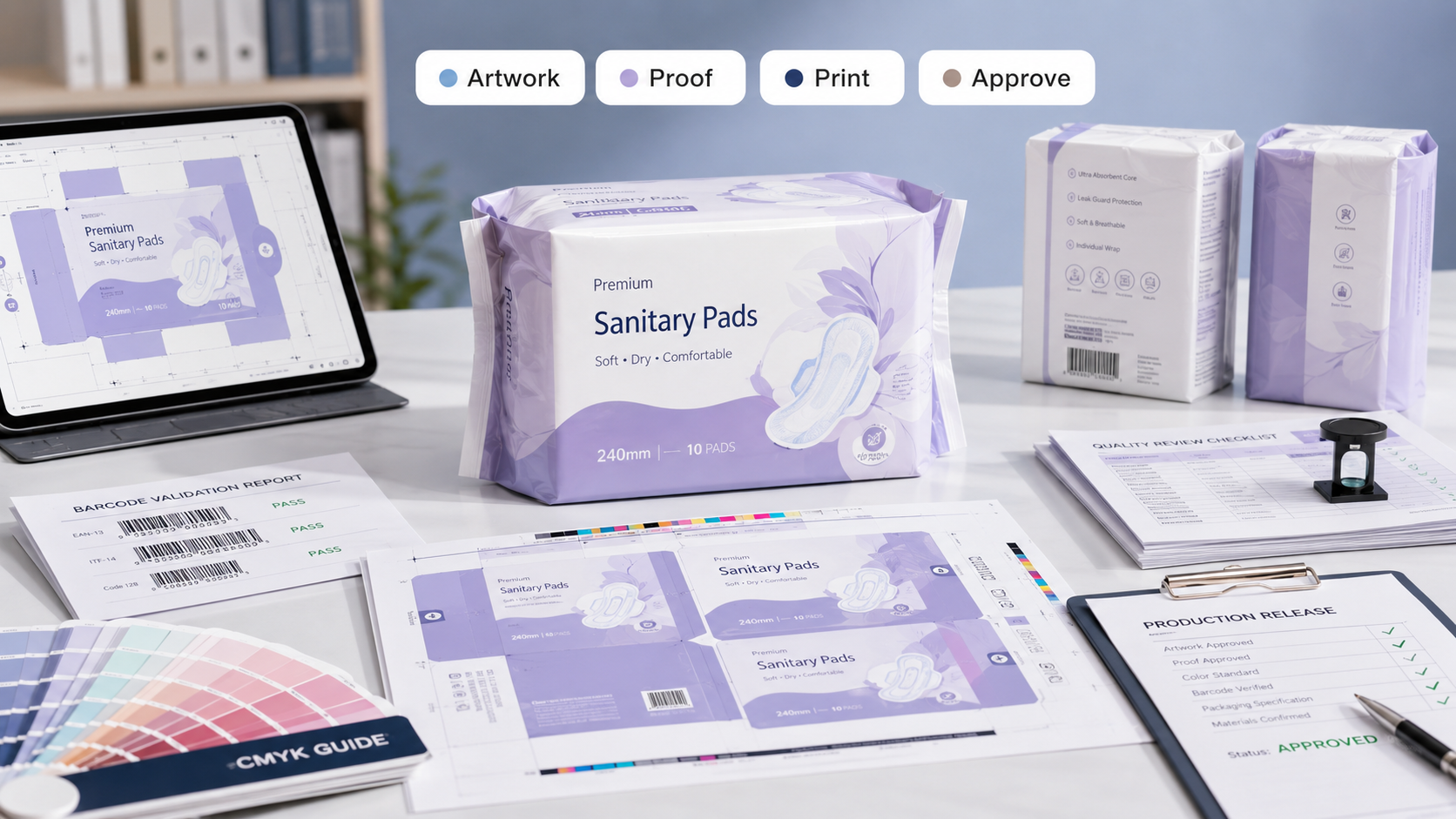
Artwork approval is one of the final checkpoints before sanitary pad packaging enters production. A well-managed approval process helps prevent printing errors, packaging delays, regulatory issues, and expensive rework while ensuring products are production-ready.
Artwork Approval Snapshot
Most packaging production delays are not caused by printing equipment. They are caused by artwork revisions, missing files, barcode problems, incorrect dimensions, regulatory corrections, and approval bottlenecks that could have been identified earlier.
Artwork approval is often viewed as a simple design sign-off process. In reality, it is a technical validation stage that affects manufacturing, logistics, retail readiness, and regulatory compliance.
The most successful private label sanitary pad brands treat artwork approval as a structured workflow rather than a final visual review.
1. What Is Artwork Approval?
Artwork approval is the formal process of verifying that packaging files are accurate, complete, compliant, and ready for commercial printing.
- Design validation
- Print specification review
- Color verification
- Barcode validation
- Regulatory confirmation
- Content accuracy review
- Production authorization
Factory Insight
A packaging design may appear visually correct while still containing production errors. Technical review is just as important as creative review during artwork approval.
2. Why Artwork Approval Matters
Errors discovered after printing begins can create substantial delays and additional costs.
| Approval Area | Risk Prevented | Business Benefit |
|---|---|---|
| File Accuracy | Printing errors | Production efficiency |
| Compliance Review | Regulatory issues | Market readiness |
| Barcode Testing | Scanning failures | Retail compatibility |
| Print Proofing | Color inconsistencies | Brand consistency |
3. Packaging Files Required for Approval
Packaging approval typically involves several technical file components.
Artwork Package Checklist
- Final design files
- Dieline files
- Print-ready artwork
- Font outlines or embedded fonts
- Linked image files
- Color specifications
- Barcode assets
- Approval records
Incomplete artwork packages frequently delay printing schedules because printers must request missing assets before production can proceed.
4. Understanding Dielines and Structural Layouts
A dieline serves as the structural blueprint for packaging production.
| Dieline Element | Purpose | Importance |
|---|---|---|
| Trim Lines | Final cut dimensions | Critical |
| Fold Lines | Package assembly | High |
| Bleed Areas | Print extension | High |
| Safe Zones | Content protection | Critical |
Buyer Note
Text, barcodes, and important product information should always remain within approved safe zones to avoid trimming issues during production.
5. Color Management and Print Consistency
Colors displayed on a monitor may not match printed packaging output.
Professional print workflows use standardized color management systems to improve consistency between digital designs and printed materials.
Color Verification Checklist
- Confirm approved color references.
- Review printed color proofs.
- Verify brand color consistency.
- Check readability against backgrounds.
- Review production print samples.
- Document approved color standards.
6. Barcode Validation and Retail Readiness
Barcode functionality should be verified before production approval.
| Barcode Review Area | Purpose | Result |
|---|---|---|
| Barcode Accuracy | Correct product linkage | Retail acceptance |
| Print Quality | Scanner readability | Operational efficiency |
| Placement | Scanning accessibility | Retail compatibility |
7. Compliance and Content Verification
Packaging content should be reviewed carefully before approval.
Factory Insight
Content revisions requested after print approval often create some of the most expensive packaging delays because new proofs and production schedules may be required.
- Product descriptions
- Usage instructions
- Packaging claims
- Manufacturer information
- Country-specific requirements
- Language accuracy
- Legal disclaimers
8. Print Proofing Process
Print proofing allows stakeholders to evaluate packaging before full production begins.
| Proof Type | Primary Objective | Review Focus |
|---|---|---|
| Digital Proof | Content review | Layout accuracy |
| Color Proof | Color evaluation | Brand consistency |
| Physical Sample | Final verification | Production readiness |
9. Final Artwork Approval Workflow
Approval Workflow Checklist
- Design team review completed.
- Regulatory review completed.
- Barcode validation approved.
- Print proof approved.
- Packaging specifications confirmed.
- Production files finalized.
- Approval records documented.
A documented approval process helps reduce confusion and creates clear accountability across stakeholders.
10. Common Artwork Approval Mistakes
Approving Without Print Proofs
Digital designs alone may not accurately represent printed results.
Skipping Barcode Verification
Retail scanning issues can create operational challenges after launch.
Late Compliance Reviews
Regulatory corrections can trigger costly revisions and delays.
Using Uncontrolled File Versions
Version confusion increases the risk of incorrect packaging reaching production.
11. Production Release Readiness Framework
Final Release Process
| Stage 1 | Finalize packaging artwork. |
| Stage 2 | Verify technical file specifications. |
| Stage 3 | Approve proofs and samples. |
| Stage 4 | Complete compliance review. |
| Stage 5 | Authorize print production. |
| Stage 6 | Release packaging to manufacturing. |
Final Takeaway
Artwork approval is a critical bridge between packaging design and commercial production. A structured review process helps ensure packaging files are technically accurate, compliant, printable, and ready for manufacturing.
Brands that invest in disciplined artwork approval workflows often reduce production delays, improve print consistency, strengthen retail readiness, and create smoother product launches. In packaging production, finding an error before printing is almost always cheaper than finding it afterward.